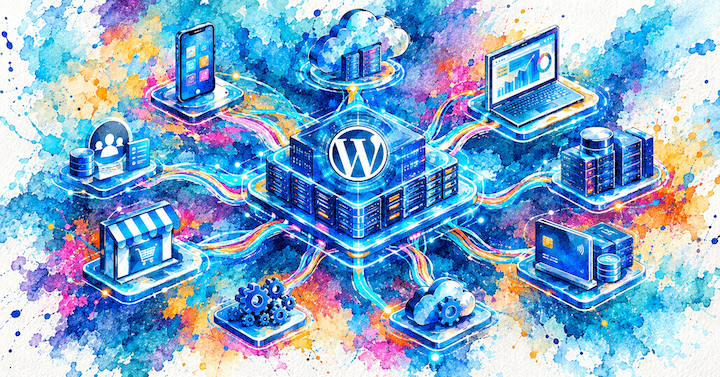
The Website Isn’t the Product Anymore
There was a time when a business website had a relatively simple job.
Publish content. Generate leads. Display products. Provide information.
Today, many businesses need much more from their digital platforms.
Customers expect mobile apps. Sales teams need customer portals. Partners need access to data. Marketing teams want content distributed across multiple channels. Internal departments need workflow tools. eCommerce businesses need integrations with inventory systems, CRMs, ERPs, payment providers, and fulfillment platforms.
The problem is that many organizations still think about WordPress as a website builder when the requirements have already evolved into something much larger.
As a result, businesses often reach an uncomfortable point where they ask:
“We’ve outgrown our website. Do we need an entirely new platform?”
In many cases, the answer is no.
What changed that conversation was the WordPress REST API.
The REST API transformed WordPress from a content management system that primarily rendered web pages into a platform capable of powering applications, mobile experiences, integrations, customer portals, and entirely custom business systems.
For companies like Boostmonitor, it fundamentally changed what WordPress could be used for.
And for businesses evaluating technology decisions today, understanding this shift is increasingly important.
Why This Matters to Businesses
Many digital projects begin with a website requirement and gradually become something else.
A company launches a marketing website.
Then they need:
- A customer dashboard
- Account-based functionality
- Mobile applications
- External software integrations
- Automated workflows
- Personalized user experiences
- Real-time data delivery
At that point, the organization’s technology stack becomes fragmented.
The website lives in one system.
The customer portal lives in another.
The mobile application uses a third platform.
Internal workflows run elsewhere.
Content gets duplicated.
Development costs increase.
Data becomes harder to manage.
The business starts paying a complexity tax.
This is where architecture matters.
The question is no longer simply:
“Which CMS should we use?”
The real question becomes:
“How can we create a platform that supports multiple business functions without creating unnecessary complexity?”
That is exactly the kind of problem the WordPress REST API helps solve.
The Decision
When businesses need functionality beyond a traditional website, they generally face several options.
Option 1: Stay Within Traditional WordPress
The simplest solution is keeping everything inside standard WordPress themes and plugins.
This works well for:
- Brochure websites
- Basic lead generation sites
- Small content-driven projects
- Simple WooCommerce stores
The advantage is simplicity.
The downside is flexibility.
Once requirements become application-like, traditional page rendering can become restrictive.
Option 2: Build a Separate Application
Many businesses assume they must abandon WordPress entirely.
They choose:
- Laravel
- Node.js
- Django
- Ruby on Rails
- .NET
- Other custom application frameworks
This approach can make sense for some projects.
However, it often creates a new problem.
Now the business has:
- One platform managing content
- Another platform managing application logic
- Separate teams
- Duplicated administration tools
- Multiple authentication systems
In some situations that complexity is justified.
In many others it is unnecessary.
Option 3: Use WordPress as an Application Platform
This is where the REST API changes the conversation.
Instead of WordPress being responsible for displaying pages, it becomes responsible for managing and delivering data.
The front-end experience can be:
- A custom web application
- A customer portal
- A React interface
- A Vue application
- A mobile app
- A kiosk system
- A third-party service
WordPress becomes the content and business data engine.
The REST API becomes the communication layer.
This approach allows businesses to extend existing WordPress investments rather than replacing them.
Understanding the WordPress REST API
At a high level, the REST API allows external systems to communicate with WordPress.
Instead of loading a WordPress page and receiving HTML, another application can request data directly.
For example:
GET /wp-json/wp/v2/postsWordPress returns structured JSON data instead of a rendered page.
Something similar to:
[
  {
    "id": 101,
    "title": {
      "rendered": "WordPress REST API Changed Everything"
    }
  }
]
That data can then be used by:
- Mobile applications
- JavaScript applications
- Customer portals
- External business systems
- Internal dashboards
- Third-party integrations
The important point is not the JSON response itself.
The important point is that WordPress no longer controls how information is displayed.
It controls the information.
Everything else can be built around it.
What This Actually Enables
The REST API allows WordPress to move beyond content publishing.
Customer Portals
Businesses frequently need secure areas where customers can:
- View documents
- Track projects
- Manage subscriptions
- Submit requests
- Access personalized content
WordPress can manage users, permissions, content structures, and data while a custom application provides the experience.
Native Mobile Applications
A common misconception is that WordPress and mobile apps are unrelated technologies.
In reality, WordPress can act as the backend powering native iOS and Android applications.
The app retrieves content and business data through REST endpoints.
Editors continue using WordPress.
Mobile users receive a native experience.
The business maintains a single content management workflow.
Multi-Channel Publishing
Many organizations publish content across multiple destinations.
For example:
- Website
- Mobile app
- Internal portal
- Partner portal
- Digital displays
Instead of managing content separately in each system, WordPress becomes the central publishing hub.
The REST API distributes content wherever it is required.
Business Applications
One of the most overlooked capabilities of WordPress is its usefulness as an application platform.
Businesses often need:
- Booking systems
- Workflow applications
- Membership systems
- Resource management tools
- Internal dashboards
Many of these projects require custom business rules much more than they require a traditional website.
The REST API enables WordPress to serve as a backend foundation for those systems.
Under the Hood
This is where architecture becomes important.
The REST API itself is not the solution.
It is the communication layer.
The architecture behind it determines whether a project becomes maintainable or problematic.
A simplified WordPress application architecture might look like this:
Mobile App
       │
       ▼
WordPress REST API
       │
       ▼
Custom Plugin Layer
       │
 ┌─────┼─────┐
 ▼     ▼     ▼
CPTs  Woo    External APIs
      Commerce
       │
       ▼
Database
The critical idea is that business logic should not live inside the theme.
Instead:
- Custom plugins contain business rules
- Custom Post Types structure data
- REST endpoints expose functionality
- WooCommerce handles commerce concerns
- External services integrate through APIs
- Themes focus on presentation
This separation creates systems that are easier to scale and maintain.
It also prevents application logic from becoming tightly coupled to visual design decisions.
That distinction becomes increasingly important as projects grow.
Custom REST Endpoints and Business Logic
For developers evaluating architecture, the real power of the REST API comes from custom endpoints.
A business rarely needs only posts and pages.
They need operations such as:
- Create customer requests
- Retrieve account information
- Process workflow actions
- Synchronize external data
- Trigger automations
A simplified example might look like:
register_rest_route(
    'boostmonitor/v1',
    '/customer-projects',
    [
        'methods'  => 'GET',
        'callback' => 'get_customer_projects',
        'permission_callback' => '__return_true'
    ]
);
The code itself is not the important part.
The architectural implication is.
WordPress can expose business-specific functionality just like a dedicated application framework.
The difference is that businesses still benefit from WordPress’s mature user management, content tools, plugin ecosystem, administrative interface, and publishing workflows.
Performance Considerations
One reason some organizations hesitate to use WordPress as an application platform is performance concerns.
Those concerns are understandable.
But they often confuse WordPress limitations with architectural limitations.
A poorly designed API architecture will struggle regardless of platform.
A well-designed WordPress architecture can handle substantial workloads.
Performance typically depends on factors such as:
- Database structure
- Query efficiency
- Object caching
- Redis implementation
- CDN configuration
- API response design
- Background processing
- External integration strategy
For larger systems, caching frequently becomes more important than raw application speed.
For example, a customer portal serving thousands of repeated requests for the same information should rarely generate every response from scratch.
Object caching, Redis, intelligent API design, and infrastructure planning often have a greater impact than the underlying CMS itself.
This is one of the reasons we often say:
WordPress is not the limitation. Poor architecture is.
Security Considerations
The REST API also changes the security conversation.
When WordPress only renders pages, security concerns focus heavily on:
- Themes
- Plugins
- Login security
- Server configuration
When WordPress becomes an application backend, API security becomes equally important.
This may include:
- Authentication tokens
- Permission validation
- User capability checks
- Request throttling
- Endpoint restrictions
- Secure third-party integrations
A well-designed REST architecture follows the principle of exposing only what users genuinely need access to.
Security should be considered during system design rather than added later.
When the REST API Makes Sense
Not every WordPress project needs API-first architecture.
For many websites it would be unnecessary complexity.
The REST API becomes particularly valuable when:
- Multiple systems require the same data
- Mobile applications are involved
- Customer portals are needed
- Custom business workflows exist
- Third-party integrations are extensive
- Long-term scalability matters
- Content must be shared across platforms
The API should solve a business problem.
It should not exist simply because developers want to use modern technology.
What We Recommend
For most businesses, we do not recommend starting with a fully headless architecture on day one.
Many organizations do not need it.
Instead, we recommend choosing architecture based on actual business requirements.
A traditional WordPress implementation remains the right choice for many marketing websites.
However, once requirements start extending beyond content publishing, the REST API deserves serious consideration.
In our experience, the strongest long-term solutions often combine:
- Custom WordPress development
- Structured content architecture
- Custom Post Types
- Custom plugin development
- Well-designed REST APIs
- Performance-focused infrastructure
- Clearly separated business logic
The goal is not to make WordPress more complicated.
The goal is to make the platform capable of supporting the business as requirements evolve.
How We Approach This at Boostmonitor
When we build REST API-driven WordPress systems, we do not start with endpoints.
We start with business workflows.
We ask questions such as:
- Who needs access to the data?
- What actions do they need to perform?
- Which systems must communicate?
- What information is shared?
- What security requirements exist?
- What might the platform need to support three years from now?
Only then do we design the technical architecture.
That architecture might include:
- Custom WordPress plugins
- Custom Post Types
- WooCommerce extensions
- API integrations
- Redis caching
- Background processing
- Native iOS applications
- Native Android applications
- Customer portals
- Real-time services using WebSockets where appropriate
Our objective is not to force WordPress into roles it cannot perform.
Our objective is to identify where WordPress provides strategic advantages and then engineer the architecture that unlocks them.
That is a different mindset from simply installing plugins and configuring themes.
It is the difference between building a website and building a platform.
Conclusion
The WordPress REST API did more than add another developer feature.
It fundamentally changed how WordPress can be used.
It transformed WordPress from a system primarily responsible for rendering pages into a platform capable of powering applications, mobile experiences, integrations, customer portals, and business workflows.
For businesses, the lesson is not that every project should become headless or API-first.
The lesson is that modern WordPress is far more flexible than many people realize.
The most important question is no longer whether WordPress can support your requirements.
The more important question is whether the architecture supporting WordPress is designed correctly.
Because in many cases, the limitation is not WordPress.
The limitation is the way it was built.
FAQ
Is the WordPress REST API the same as headless WordPress?
No. Headless WordPress uses the REST API or another API layer to separate the front end from WordPress. The REST API itself can also be used within traditional WordPress architectures for integrations, portals, mobile applications, and custom functionality.
Can WordPress power mobile applications?
Yes. WordPress can serve as a backend platform for native iOS and Android apps through REST APIs. Content, user data, and business functionality can be managed centrally while mobile users receive a native experience.
Is the REST API suitable for WooCommerce projects?
Often, yes. REST APIs are commonly used for custom checkout experiences, mobile commerce applications, ERP integrations, inventory synchronization, subscription systems, and customer portals built around WooCommerce.
Does using the REST API automatically improve performance?
No. Performance depends on architecture, infrastructure, caching strategy, database design, and query efficiency. The API is a communication mechanism, not a performance optimization tool.
When should a business consider API-first WordPress development?
Usually when multiple systems need access to the same data, when mobile applications are involved, when customer portals are required, or when a business platform extends significantly beyond a traditional website.