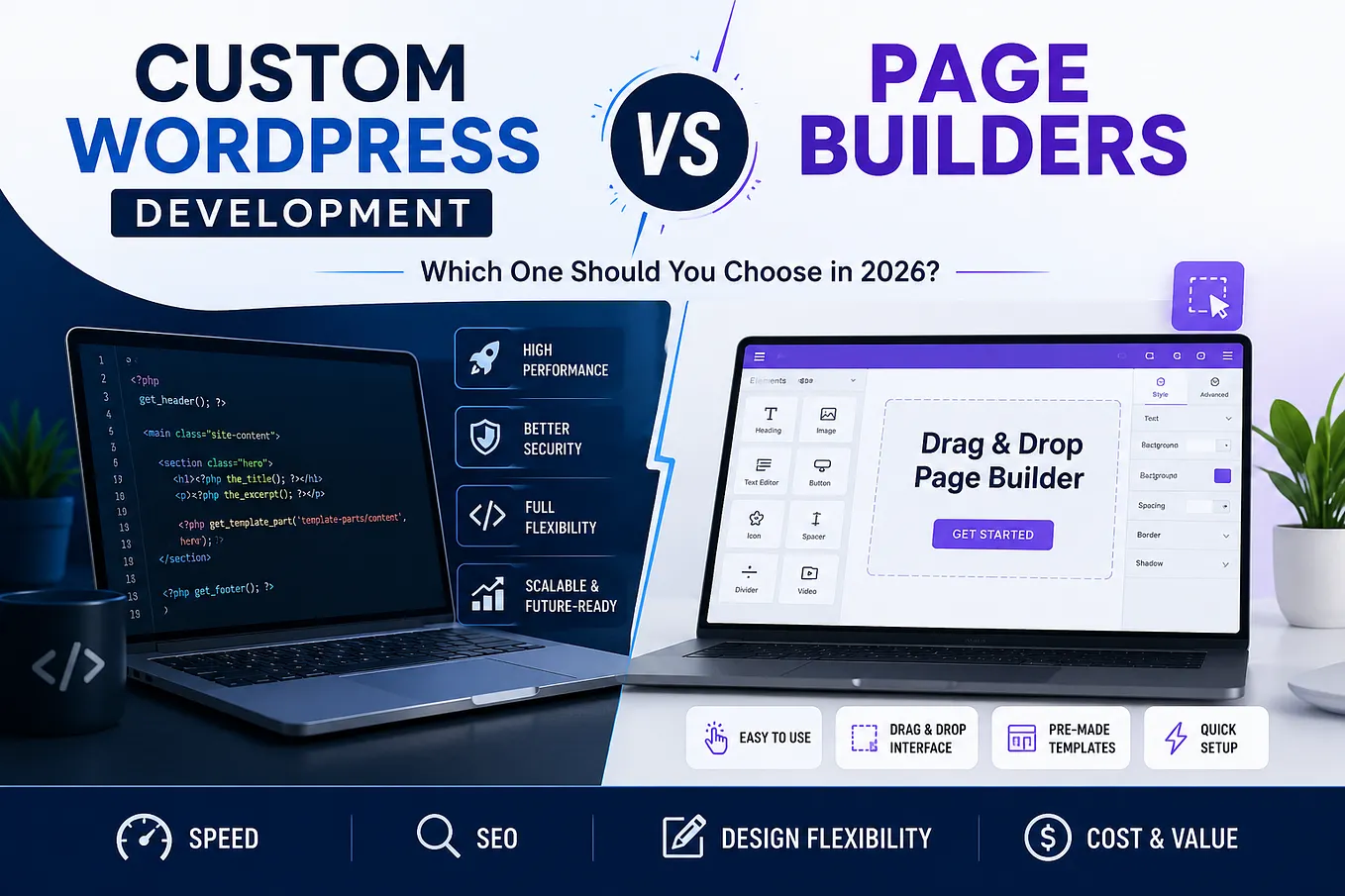
A business owner can receive two WordPress proposals that look completely different in price.
One might cost $2,000. Another might cost $15,000 or more.
Both proposals might promise a responsive WordPress website, a homepage, several internal pages, contact forms, SEO setup, and an easy-to-use admin panel.
So why the enormous difference?
It is tempting to assume the more expensive agency is simply charging more for the same work.
Sometimes, that is exactly what is happening.
But sometimes the two companies are not selling the same thing at all.
One may be selling a website assembled from an existing theme, a page builder, and plugins. The other may be engineering a custom WordPress system around the business’s content, editorial workflow, integrations, performance requirements, and long-term plans.
Both can be legitimate approaches.
The important question is not:
“Is custom WordPress development better than Elementor or Divi?”
The better question is:
“What am I actually buying with each approach, and does my business need the difference?”
That distinction is where the real cost of WordPress development begins to make sense.
The $2,000 Website and the $15,000 Website May Not Be Comparable
WordPress itself is not what creates the difference.
WordPress is open-source software. The same WordPress core can sit underneath a small brochure website, a large WooCommerce store, a customer portal, or a custom business application.
What changes is everything built around it.
A typical lower-cost WordPress project may involve:
- An existing theme
- Elementor, Divi, WPBakery, or another page builder
- Prebuilt templates
- Existing plugins
- Configuration and customization
- Standard hosting
- Relatively little custom business logic
That can be an entirely sensible solution.
A custom WordPress project may instead involve:
- A custom theme architecture
- Gutenberg and custom blocks
- Custom block patterns
theme.json- Custom Post Types
- Structured content models
- Custom plugins
- Business-specific functionality
- API integrations
- WooCommerce customization
- Performance architecture
- Caching and CDN strategy
- Custom editorial workflows
- Security considerations
- Long-term maintainability
At that point, the development team isn’t simply assembling pages.
It is engineering a system.
That is the fundamental difference between buying a prebuilt solution and paying for a purpose-built one.
What Does a WordPress Page Builder Actually Give You?
A page builder such as Elementor or Divi provides a visual abstraction layer over WordPress.
Instead of requiring a developer to construct every page through templates, HTML, CSS, PHP, and JavaScript, editors can visually assemble content.
You select a section, add a heading, insert an image, create columns, adjust spacing, and publish.
For the right project, this is extremely valuable.
The business gets:
- Faster initial development
- Visual editing
- A large library of components
- Prebuilt design capabilities
- Less dependence on developers for simple changes
- A relatively predictable implementation process
A page builder is therefore not “bad development.”
It is a product designed to solve a specific problem:
How can people build and modify WordPress pages without requiring a developer for every visual change?
For many websites, that is exactly the problem that needs to be solved.
If a local business needs a 10-page website, has relatively simple content, wants to launch quickly, and does not expect complicated functionality, a page builder can be a very rational investment.
The mistake is assuming that every WordPress project has the same requirements.
What Are You Buying With Custom WordPress Development?
Custom WordPress development changes the question.
Instead of asking:
“How do we build these pages?”
the development team asks:
“What system should exist behind these pages?”
That distinction affects almost everything.
A custom WordPress development project can define:
- How content is structured
- How editors manage that content
- Which design controls are available
- Which components can be used
- How templates behave
- Where business logic lives
- How third-party systems communicate with WordPress
- How WooCommerce operates
- How APIs expose data
- How performance is managed
- How the website can evolve later
You are not simply paying someone to write more code.
You are paying for architecture, constraints, integration, testing, maintainability, and a system designed around your requirements.
That is why custom development should not be described simply as:
“Building the same website from scratch.”
It isn’t necessarily the same website underneath.
The Four Levels of WordPress Development
One useful way to understand the difference is to think about WordPress projects as four progressively more customized approaches.
1. Buying a prebuilt solution
This is the closest equivalent to buying an off-the-shelf product.
You might purchase:
- A premium theme
- A page builder
- A plugin bundle
- Prebuilt templates
The development work is primarily configuration and customization.
This minimizes initial cost and development time.
The tradeoff is that you are adapting your business to a system that already exists.
2. Configuring an existing system
The next level involves more deliberate implementation.
The development team may configure:
- A page builder
- Existing plugins
- Theme settings
- Custom CSS
- Existing WooCommerce functionality
- Forms and integrations
There is more technical work, but the fundamental architecture still comes from existing products.
This can be a strong middle ground.
3. Extending an existing system
Now custom development enters the picture.
You may use WordPress, WooCommerce, Gutenberg, or a plugin as the foundation while adding custom functionality around it.
For example:
- A custom WooCommerce checkout
- A custom plugin
- A REST API endpoint
- A custom Gutenberg block
- A business-specific workflow
- A third-party API integration
This approach can provide substantial flexibility without reinventing everything.
4. Engineering a purpose-built system
At the highest level, the development team controls the architecture.
The website may use:
- A custom theme
- Gutenberg
- Custom blocks
- Block patterns
theme.json- Custom Post Types
- Custom plugins
- REST APIs
- WooCommerce
- Redis/object caching
- CDN infrastructure
- Custom integrations
- Application-specific business logic
The goal is no longer merely to make WordPress display a website.
The goal is to make WordPress behave like the business needs it to behave.
That is where custom WordPress development becomes substantially more valuable.
Custom Theme vs Prebuilt Theme
A theme determines much more than colors and typography.
It establishes how the presentation layer of WordPress is structured.
A prebuilt theme may provide hundreds of configuration options because it needs to support thousands of potential customers.
That flexibility sounds attractive.
But generalized flexibility can create complexity.
A custom theme can instead be designed around one business.
For example, imagine a company has:
- 20 service types
- 50 locations
- Hundreds of team members
- Case studies
- Industry-specific landing pages
- Resource content
- Regional content
- Multiple conversion paths
A custom architecture can define exactly how those content types relate to each other.
The editor does not need access to every conceivable option.
They need the right options.
That is an important distinction.
Custom development is often about removing unnecessary choices, not adding more.
Gutenberg vs Page Builders: The Question Is Really About Control
Modern WordPress also complicates the traditional “page builder vs custom code” debate because Gutenberg itself is a visual editing system.
The question therefore isn’t simply:
“Visual editor or custom development?”
You can have both.
A custom WordPress website can use Gutenberg as the editorial interface while developers create custom blocks and patterns specifically for the business.
For example, instead of giving an editor an empty canvas containing dozens of generic widgets, the development team might provide:
- Hero block
- Services grid
- Testimonial block
- Team member block
- Case study block
- Pricing block
- FAQ block
- Location block
- CTA pattern
Each component can have controlled design options and defined content fields.
The editor gets flexibility.
The development team retains architectural control.
This creates an important middle ground:
A custom editorial experience rather than an unrestricted visual canvas.
That is one of the approaches we generally favor for modern custom WordPress websites.
What Happens Under the Hood?
The visual difference between two websites can be surprisingly small.
The architectural difference can be enormous.
Consider a simple example.
A page-builder implementation might store a page’s layout and component configuration as builder-specific content. The page is then rendered through the builder’s framework, styles, scripts, widgets, and associated functionality.
A custom Gutenberg implementation can instead use WordPress’s native block system with purpose-built blocks and templates.
The resulting HTML may be generated from a much more controlled component system.
Neither approach is automatically “fast” or “slow.”
Performance depends on the entire stack.
That includes:
- Hosting
- PHP execution
- Database queries
- Theme architecture
- Plugins
- JavaScript
- CSS
- Images
- Fonts
- Third-party scripts
- Caching
- Object caching
- CDN configuration
- API calls
- WooCommerce complexity
- Actual implementation quality
A badly engineered custom theme can perform worse than a well-optimized page-builder website.
Likewise, a heavily customized page-builder installation can become unnecessarily complex.
The point isn’t that custom code magically makes WordPress faster.
The point is that custom architecture gives the development team greater control over what exists in the system and why.
The Real Cost Difference: Development vs Architecture
When someone compares a $2,000 website with a $15,000 website, they are often comparing more than development hours.
They are comparing different amounts of engineering.
A lower-cost project might spend most of its effort on:
Configuration → Design → Content → Launch
A custom project may involve:
Discovery → Architecture → Content modeling → UX → Design system → Development → Integrations → Testing → Performance → Security → Deployment → Documentation
The additional cost is not necessarily for “more pages.”
It may be for the decisions made before those pages are built.
That is why asking:
“How much does a WordPress website cost?”
is often less useful than asking:
“What architecture is included in the development cost?”
What You’re Actually Paying For
When a business hires a serious custom WordPress development company, the invoice can include considerably more than visual development.
Architecture
Someone has to determine how the system should be structured.
That includes decisions about:
- Themes
- Plugins
- Content models
- Blocks
- Templates
- APIs
- Integrations
- Data relationships
- Business logic
Bad architectural decisions can remain invisible until the website needs to change.
Editorial Experience
A custom website can be designed around the people who manage it.
For example, instead of asking a marketing manager to manipulate HTML-like structures through a visual builder, the system can expose meaningful controls:
Headline
Supporting copy
Image
CTA
Background style
Related service
The editor works with business concepts rather than implementation details.
That can have significant operational value.
Custom Business Logic
A page builder is primarily concerned with presentation.
Businesses often need much more.
Consider:
- Custom pricing rules
- Membership logic
- Customer portals
- Approval workflows
- Location-based content
- Custom forms
- Lead routing
- External APIs
- Inventory synchronization
- Payment processing
- Custom WooCommerce behavior
These requirements usually require plugins, custom development, APIs, or some combination of them.
Integrations
A website rarely operates alone.
Modern businesses often connect WordPress to:
- CRM systems
- Payment processors
- Marketing platforms
- ERP systems
- Inventory systems
- Shipping providers
- Email platforms
- Analytics systems
- Mobile applications
- Internal business software
At that point, WordPress becomes part of a larger technology architecture.
The work isn’t simply “connecting a plugin.”
It involves understanding how data moves between systems and what happens when something fails.
Performance Engineering
Performance is another area where architecture matters.
A serious performance strategy may involve:
- Query optimization
- Object caching
- Redis
- Page caching
- CDN architecture
- Image optimization
- Asset management
- Lazy loading
- Database optimization
- Reducing unnecessary JavaScript
- API optimization
Again, this doesn’t mean every custom site requires all of these technologies.
It means the architecture can be designed around the actual performance requirements rather than accepting whatever a prebuilt stack happens to provide.
Technical Debt: The Cost You Don’t See on the Proposal
One of the biggest differences between initial cost and long-term cost is technical debt.
Technical debt isn’t simply “bad code.”
It is the future cost created when today’s implementation makes tomorrow’s changes more difficult.
Imagine a business starts with:
- A theme
- A page builder
- Six plugins
Then, over three years, it adds:
- Another form plugin
- A popup plugin
- A slider
- A membership plugin
- A custom integration
- A WooCommerce extension
- Custom CSS
- Custom JavaScript
- Several developer-specific fixes
Each decision may have been reasonable individually.
Eventually, however, the website becomes a collection of dependencies that interact in ways nobody fully understands.
A small change can become difficult.
A plugin update can cause a conflict.
A redesign can require rebuilding hundreds of pages.
A developer may spend more time figuring out how the existing system works than implementing the requested feature.
That is technical debt.
But there is an important counterpoint:
Custom development can create technical debt too.
Poorly architected custom code does not become good simply because it was written specifically for the client.
A custom WordPress website can suffer from:
- Overengineering
- Poor documentation
- Excessive abstraction
- Inconsistent coding standards
- Unnecessary custom functionality
- Weak testing
- Developer dependency
- Poor separation between presentation and business logic
Custom does not automatically mean better.
Good architecture does.
Initial Cost vs Total Cost of Ownership
This is where the business decision becomes more interesting.
Suppose a page-builder website costs $3,000 to launch.
A custom website costs $15,000.
The page-builder solution is immediately cheaper by $12,000.
If the website remains simple for five years, requires few changes, and doesn’t become operationally important, that may be the correct decision.
But imagine the business eventually spends additional money on:
- Rebuilding pages
- Fixing plugin conflicts
- Replacing incompatible plugins
- Performance optimization
- Developer troubleshooting
- Redesigning around theme limitations
- Recreating content
- Custom workarounds
- Integration problems
The initial savings may gradually disappear.
Conversely, if the business never needs anything beyond a simple marketing website, the $15,000 custom implementation may have been unnecessary from the beginning.
The correct calculation is therefore not:
Page builder = cheap
and
Custom = expensive
It is:
What will this system cost the business to build, operate, modify, and maintain over the period that it matters?
When a Page Builder Is the Right Choice
We would not recommend custom development simply because custom development is what we sell.
A page builder can be the right architecture.
It often makes sense when you have:
A Small Business Website
A company with a relatively small number of pages and straightforward content requirements may not need custom architecture.
A Simple Marketing Website
If the primary requirements are:
- About
- Services
- Team
- Contact
- Blog
- Basic landing pages
a page builder can be perfectly appropriate.
A Tight Budget
Sometimes the business needs to establish an online presence without making a major technology investment.
That’s a legitimate constraint.
A Short Time Horizon
If the website is temporary or primarily intended to support a short-term campaign, investing heavily in custom architecture may not produce enough return.
A Team That Values Visual Freedom
Some marketing teams genuinely prefer the flexibility of a visual page builder.
If that flexibility is more valuable than strict design control, the tradeoff can make sense.
When Custom Development Starts Making More Sense
Custom WordPress development becomes increasingly attractive when the website itself becomes strategically important to the business.
Consider custom development when you have:
Complex Content
Your content isn’t just pages and blog posts.
You have relationships between:
- Products
- Services
- Locations
- People
- Case studies
- Resources
- Categories
- Customers
- Other structured entities
A custom content model can make this information easier to manage and reuse.
A Large Editorial Team
The more people use WordPress, the more important the editorial experience becomes.
You may want to control:
- Which blocks are available
- Which fields editors can change
- Which layouts are allowed
- How content is structured
- How brand consistency is maintained
Complex WooCommerce
A standard online store can often work well with WooCommerce and established extensions.
But once you introduce complicated pricing, custom checkout processes, subscriptions, external inventory, fulfillment logic, customer-specific rules, or external systems, architecture becomes much more important.
Business Integrations
If WordPress needs to communicate with multiple external systems, custom plugins and APIs can provide a cleaner foundation than stacking unrelated plugins.
Custom APIs
WordPress can expose structured data through REST APIs and become a backend for other applications.
That could include:
- Mobile applications
- Customer portals
- Internal applications
- Headless frontends
- Third-party platforms
At that point, you are no longer thinking about WordPress as “just a website.”
The Website Is Becoming an Application
This is one of the strongest indicators.
When the website starts handling workflows, users, transactions, dashboards, integrations, or operational processes, a purpose-built architecture can become significantly more valuable.
A Practical Decision Framework
Instead of asking whether page builders or custom development are universally better, evaluate the project against these questions.
| Question | Page Builder | Custom Development |
|---|---|---|
| Simple marketing website? | Strong fit | Often unnecessary |
| Very limited budget? | Strong fit | May not be justified |
| Fast launch is the priority? | Strong fit | Usually slower |
| Complex content model? | Possible, but can become awkward | Strong fit |
| Highly controlled editorial workflow? | Depends on implementation | Strong fit |
| Complex business logic? | Limited | Strong fit |
| Multiple external integrations? | Possible | Strong fit |
| Complex WooCommerce? | Depends on requirements | Often stronger |
| Custom APIs? | Possible | Strong fit |
| Website becoming an application? | Usually not ideal | Strong fit |
| Long-term architectural control? | Limited | Strong fit |
| Marketing team wants unrestricted visual editing? | Strong fit | Can be designed, but with more control |
| Small, stable website? | Strong fit | May be overengineering |
The important word here is requirements.
Don’t select an architecture based on the size of the initial proposal.
Select it based on what the business actually needs the system to do.
The Question We Ask Before Recommending Custom Development
At Boostmonitor, we don’t believe every business needs a custom WordPress website.
The first question is not:
“How can we justify building this custom?”
It is:
“What does this business need WordPress to do?”
If the answer is simply:
“Display our information and generate leads.”
Then a page builder may be entirely reasonable.
If the answer is:
“Manage structured content across hundreds of pages, integrate with our CRM, support WooCommerce, expose data through an API, provide a controlled editorial workflow, and serve as the backend for other applications.”
Now we’re discussing a different class of system.
The architecture should reflect that difference.
What We Recommend
For businesses that genuinely need custom development, our preferred approach is not to eliminate WordPress’s visual editing capabilities.
It is to engineer them.
For many modern custom WordPress websites, that means using WordPress and Gutenberg as the foundation while adding:
- Custom Gutenberg blocks
- Block patterns
theme.json- Structured content
- Custom Post Types where appropriate
- Custom plugins for business logic
- Purpose-built templates
- Controlled design systems
- REST APIs where needed
- WooCommerce customization where required
- Performance and caching strategies appropriate to the project
The objective is not to give the client more technical control.
It is to give them the right control.
A marketing manager should be able to build a landing page without calling a developer.
But they also shouldn’t have to worry about whether changing a margin from 37px to 41px will break the site’s design system.
That’s the value of a well-designed editorial experience.
What Custom WordPress Development Should Look Like in Practice
When we build a custom WordPress website, we don’t start with a blank Gutenberg canvas and tell the client:
“Here’s WordPress. Build whatever you want.”
We build an editing system around the business.
The development team defines the components.
The design system establishes the visual rules.
The content architecture determines how information is structured.
Custom blocks expose the controls editors actually need.
Patterns accelerate common layouts.
theme.json can establish global design settings.
Custom plugins contain functionality that shouldn’t be tied to the visual theme.
APIs are introduced when WordPress needs to communicate with external systems.
Caching and infrastructure are considered based on actual requirements.
The result is still WordPress.
But it is no longer a generic WordPress installation.
It is a WordPress platform engineered around the organization using it.
That distinction is at the heart of custom WordPress development.
So, What Are You Actually Paying For?
If you’re paying for a page-builder website, you are primarily buying a faster way to assemble and manage a website using an existing system.
That can be an excellent investment.
If you’re paying for custom WordPress development, you should be buying something different:
Architecture.
A custom editorial experience.
Business-specific functionality.
Integration strategy.
Performance considerations.
Maintainability.
Extensibility.
Technical judgment.
And, ultimately, a system designed around your business rather than a business being asked to fit inside a prebuilt system.
That doesn’t automatically make custom development worth $15,000, $30,000, or $100,000.
The investment only makes sense when the underlying requirements justify it.
The real mistake is not choosing a page builder.
The real mistake is paying for custom development when you don’t need it—or choosing the cheapest implementation when your website is going to become an important part of how the business operates.
The Bottom Line
WordPress gives businesses an enormous range of possibilities.
You can use it as a simple content management system.
You can put a page builder on top of it and launch a professional website quickly.
You can customize an existing system.
Or you can engineer WordPress into a purpose-built platform with custom content models, business logic, APIs, integrations, WooCommerce functionality, and application capabilities.
None of those approaches is universally correct.
The right question is:
How much architecture does your business actually need?
If you need a simple website, don’t pay for unnecessary engineering.
If your website is becoming a critical business system, don’t evaluate proposals based solely on how many pages are included.
Look underneath the pages.
Ask what is being built, how it is structured, how it can evolve, who will maintain it, and what happens when the business requirements change.
Because the biggest difference between a cheap WordPress website and an expensive one isn’t necessarily what the visitor sees.
It is often what exists underneath the screen.
At Boostmonitor, that’s where we focus.
We don’t just build WordPress sites. We push it further.
The goal isn’t to make WordPress more complicated.
It is to make the architecture fit the business.